
In today’s fast-paced digital world, mobile banking apps have become indispensable tools for managing our finances. The convenience of accessing accounts, transferring funds, and paying bills from anywhere, anytime, is undeniable. However, with this convenience comes a crucial question: How safe is your mobile banking app? This article delves into the security measures surrounding mobile banking, exploring the potential risks and offering practical advice for safeguarding your financial information.
From sophisticated encryption techniques to biometric authentication, mobile banking app security has evolved significantly. But as technology advances, so do the tactics of cybercriminals. Understanding the vulnerabilities and taking proactive steps to protect yourself are essential for ensuring the safety of your funds and personal data when using mobile banking apps. This article will equip you with the knowledge to assess the security of your chosen app and make informed decisions about your mobile banking practices.
What Makes an App Secure?
Mobile banking app security relies on a multitude of factors working together. Multi-factor authentication is crucial, requiring users to verify their identity through multiple channels. This might include passwords, biometrics, or one-time codes.
Data encryption is another cornerstone. This process scrambles data, making it unreadable without the correct decryption key, protecting it both in transit and at rest. Furthermore, secure apps employ robust security protocols and undergo regular security testing and audits to identify and address vulnerabilities.
Secure coding practices during development help prevent vulnerabilities from being introduced in the first place. Finally, regular updates and patches are vital to address newly discovered threats and maintain a strong security posture.
App Store Scams and Impersonations
Malicious actors often attempt to deceive users by creating fake apps that impersonate legitimate banking apps. These counterfeit apps may appear genuine, using similar names, logos, and branding to trick users into downloading them.
Once installed, these fake apps can steal sensitive information, such as login credentials, account details, and even financial transactions. It’s crucial to be vigilant when downloading banking apps and to verify the app’s authenticity.
Always download banking apps directly from the official app store (Apple App Store or Google Play Store) and verify the developer’s information. Check for reviews, ratings, and the app’s release date to help determine its legitimacy.
Encryption and Data Privacy
Encryption plays a vital role in securing your mobile banking transactions. Most reputable apps use strong encryption algorithms to protect data transmitted between your device and the bank’s servers. This prevents unauthorized access to sensitive information like login credentials and transaction details.
Data privacy is another crucial aspect. Look for apps that have a clear privacy policy outlining how your data is collected, used, and protected. Ensure the app follows data minimization principles, collecting only necessary information. Two-factor authentication (2FA) adds an extra layer of security, requiring a second verification method beyond your password.
Biometric vs Password Login
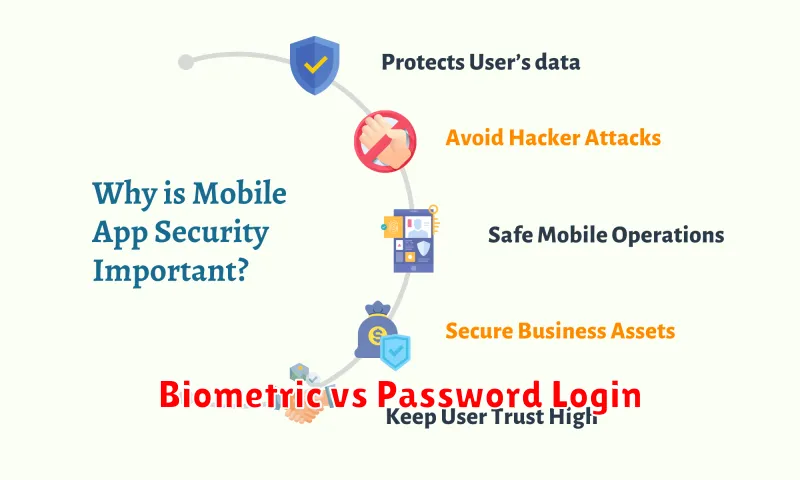
When it comes to mobile banking security, choosing between biometric and password login is a key decision. Biometrics, such as fingerprint or facial recognition, offer convenience and enhanced security against common threats like phishing or keylogging. They are harder to replicate than a simple password.
Passwords, while familiar, are more susceptible to breaches. A strong, unique password is crucial, but even these can be compromised. Two-factor authentication adds an extra layer of security, making it harder for unauthorized access even if the password is known.
App Permissions and Red Flags
Mobile banking apps require certain permissions to function correctly. However, excessive or unnecessary permissions can be a major red flag. Always review the permissions requested before installing an app.
Be wary of apps that request access to your contacts, photos, or other personal data that isn’t directly related to banking. Similarly, permissions related to making calls or sending SMS messages should be scrutinized carefully. Legitimate banking apps rarely need this level of access.
If an app requests permissions that seem suspicious, research the app thoroughly and consider alternatives.
Updates and Patches for Protection
Regular updates are crucial for maintaining the security of your mobile banking app. These updates often include security patches that address newly discovered vulnerabilities.
Failing to update your app can leave you exposed to malware and other threats. Ensure automatic updates are enabled in your device’s settings, or manually check for updates frequently through your app store.
Pay attention to the details of updates. Release notes often provide information about the specific security enhancements included in each update, giving you insights into the ongoing efforts to protect your financial information.
How to Check App Authenticity
Before downloading any mobile banking app, it’s crucial to verify its authenticity to protect yourself from fraudulent apps. Here’s how:
Check the Developer Information
In your app store, look for the developer’s name associated with the app. Ensure it matches the official name of your bank. Avoid apps from unknown or suspicious developers.
Read Reviews and Ratings
Pay attention to user reviews and ratings. A legitimate app will generally have a substantial number of positive reviews and a high rating. Be wary of apps with consistently negative reviews or suspiciously few reviews.
Examine the App’s Permissions
Be cautious of apps requesting excessive or unnecessary permissions. A banking app typically needs access to certain features, but it shouldn’t require access to your contacts, photos, or microphone, for example.
Banks vs Third-Party Apps
When discussing mobile banking security, a key distinction lies between apps offered directly by banks and those developed by third parties. Bank-developed apps are generally considered more secure, as they are built and maintained under the direct supervision of the financial institution. These apps often integrate multiple layers of security, including strong encryption and multi-factor authentication.
Third-party apps, while offering convenience features like aggregation of accounts from multiple institutions, introduce an additional layer of potential vulnerability. The security practices of these third-party developers vary, and users should carefully research the app’s reputation and security measures before granting access to their financial data. A crucial point to remember is that the bank’s own security guarantees may not extend to third-party applications.
Ratings and Reviews Matter
When choosing a mobile banking app, pay close attention to user ratings and reviews. These can offer valuable insights into the app’s security, usability, and overall performance.
Look for apps with consistently high ratings and a large number of reviews. Read both positive and negative reviews to get a balanced perspective. Pay particular attention to reviews that mention security concerns, such as instances of fraud or data breaches.
While ratings and reviews are not foolproof, they can be a useful tool in evaluating the potential risks and benefits of a mobile banking app.
Your Role in Keeping It Safe
While financial institutions employ robust security measures, your active participation is crucial in safeguarding your mobile banking experience. Protecting your login credentials is paramount. Never share your username, password, or PIN with anyone, including bank personnel. Be wary of phishing attempts via email, text, or phone calls seeking this information.
Software updates for your operating system and the mobile banking app itself are vital for patching security vulnerabilities. Enable automatic updates whenever possible. Strong device security is also essential. Utilize a strong passcode or biometric lock on your device and consider enabling remote wipe functionality in case of loss or theft.
