
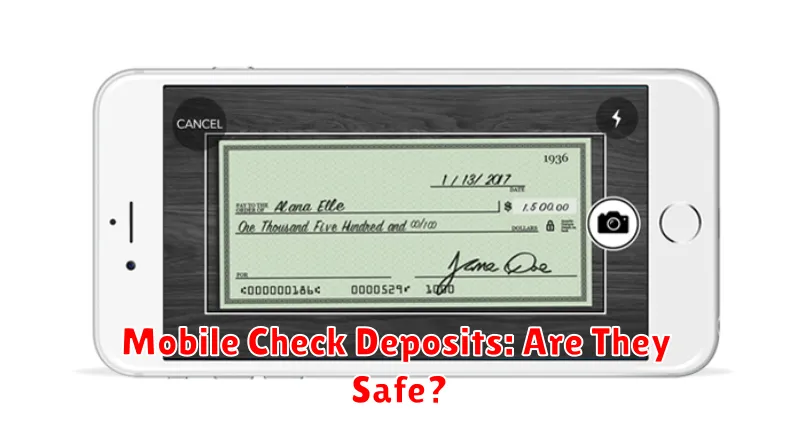
Mobile check deposits offer unparalleled convenience, allowing you to deposit checks anytime, anywhere, simply by using your smartphone. But with this ease of use comes the important question: are mobile check deposits truly safe? This article explores the security measures surrounding mobile check deposits and discusses the potential risks involved to help you make informed decisions about your finances.
From understanding the encryption technology used to protect your sensitive information during a mobile check deposit to learning about best practices for safe mobile banking, we’ll cover the key aspects of mobile check deposit security. We’ll also examine the potential risks of fraud and what steps you can take to protect yourself when using mobile check deposits. Join us as we delve into the world of mobile check deposit safety and empower you to confidently manage your finances in the digital age.
How Mobile Check Deposit Works
Mobile check deposit leverages the camera on your smartphone or tablet. You simply take pictures of the front and back of the endorsed check.
The mobile banking app then uses software to read the information on the check, including the account and routing numbers, as well as the check amount. This information is then transmitted securely to your bank.
Once the information is received and verified, the funds are deposited into your account. The processing time for mobile check deposits can vary, but typically takes a few business days.
Steps to Deposit a Check
Mobile check deposit typically involves a straightforward process. First, endorse the check and write “For Mobile Deposit Only” beneath your signature.
Next, open your bank’s mobile app and navigate to the deposit section. Select the account you wish to deposit the check into.
Take a picture of the front and back of the check using your phone’s camera within the app. Ensure the images are clear and all corners are visible.
Finally, enter the amount of the check and confirm the details. Submit your deposit. The bank will then process the deposit, typically within one to two business days.
Bank Policies and Limitations
It’s crucial to understand that mobile check deposit services come with specific bank policies and limitations. These vary between institutions but generally cover areas like:
Deposit Limits
Banks often impose daily and monthly limits on the total value of checks you can deposit via mobile. These limits can be influenced by factors such as account age and history.
Check Types
Some check types may be ineligible for mobile deposit, such as third-party checks, foreign checks, or checks payable to cash. Always refer to your bank’s specific guidelines for a comprehensive list of accepted check types.
Funds Availability
While mobile deposits offer convenience, the availability of funds may not be immediate. Banks typically hold deposited funds for a short period to verify the check’s legitimacy and prevent fraud.
Endorsement Requirements
Proper endorsement is essential for mobile check deposits. Most banks require specific endorsements, such as “For Mobile Deposit Only” along with your signature, to ensure the check is processed correctly. Failure to comply with endorsement requirements can lead to deposit rejection.
Risks of Mobile Deposits
While mobile check deposit offers convenience, it’s important to be aware of potential risks. Security breaches are a concern, though financial institutions employ strong security measures. Compromised login credentials or malware could expose your account information.
Technical issues can also disrupt the process. A poor internet connection or a malfunctioning app could prevent a successful deposit. User errors, such as incorrectly endorsing a check or depositing it twice, can lead to delays or fees.
Additionally, there’s a risk of deposit limits and holds. Banks may impose limits on the amount you can deposit via mobile and may place holds on funds until the check clears.
Security Features in Apps
Mobile check deposit apps incorporate several security features to protect user data and funds. Multi-factor authentication adds an extra layer of security beyond passwords. This might involve one-time codes sent via text, biometric authentication like fingerprint scanning, or security questions.
Encryption protects data transmitted between the app and financial institutions. This ensures sensitive information, such as account numbers and check images, remains confidential. Furthermore, many apps employ monitoring systems to detect unusual activity and prevent fraud. These systems can flag suspicious transactions and alert users to potential threats.
Automatic logout features enhance security by closing the app after a period of inactivity. This helps prevent unauthorized access if a device is lost or stolen. Some apps also offer device registration, which limits access to approved devices only.
Best Practices for Mobile Use
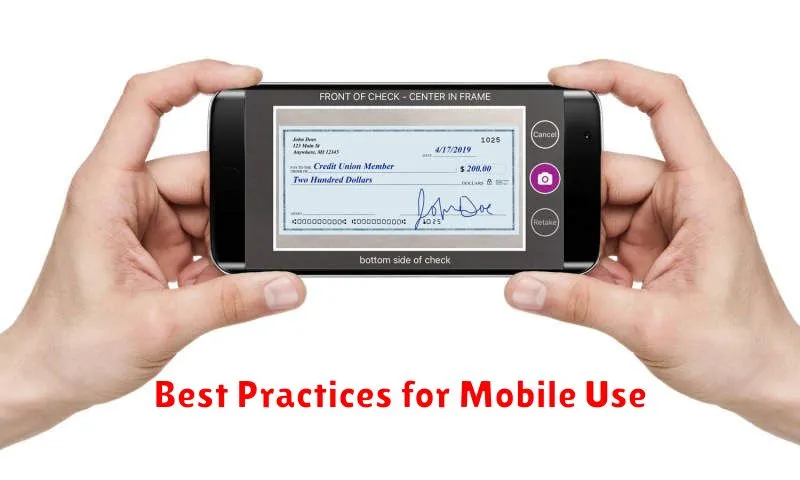
Protecting your financial information on your mobile device is crucial. Always keep your phone’s operating system updated to the latest version to benefit from the most recent security patches. Use a strong and unique passcode, and consider enabling biometric security features like fingerprint or facial recognition.
Download banking apps only from official app stores like the Apple App Store or Google Play Store. Avoid downloading apps from untrusted third-party sources. Before entering any sensitive information, ensure the app is legitimate and check for secure connection indicators like “https” in the address bar.
Be mindful of your surroundings when using mobile banking apps. Avoid using public Wi-Fi networks for financial transactions, as these networks may not be secure. Log out of the app completely when you’re finished.
Handling Check Images Safely
After capturing check images for mobile deposit, proper handling of the physical check is crucial for security.
Store the physical check securely for a short period, typically recommended for a few days, in case of processing issues. After this period, and once you’ve confirmed the deposit is successful, destroy the check to prevent fraud.
Consider writing “VOID” across the front of the check after the mobile deposit to clearly indicate it has been processed electronically. This adds an extra layer of protection against accidental or fraudulent reuse.
Common Issues and Fixes
While mobile check deposit is generally reliable, occasional issues can arise. Here are some common problems and their solutions:
Image Quality Issues
Blurry images or poor lighting can lead to rejection. Ensure the check is placed on a flat, dark surface with ample lighting. Resubmit a clear, focused picture.
Endorsement Problems
Missing or incorrect endorsements are a frequent issue. Verify your signature and add “For Mobile Deposit Only” below it. Double-check bank requirements for specific endorsement instructions.
Technical Glitches
App errors or connectivity problems can disrupt the process. Ensure your app is updated and you have a strong internet connection. If problems persist, contact your bank’s support.
When to Visit a Branch Instead
While mobile check deposit offers unparalleled convenience, certain situations warrant a trip to your local branch. For large checks, your financial institution may impose limits on mobile deposits. Consulting with a teller ensures the entire check amount is processed correctly.
Checks requiring immediate access to funds are also better handled in person. Mobile deposits may have a holding period before funds become available. If you need the money immediately, a branch visit is the more prudent option.
Finally, if you have any questions or concerns about the check or the deposit process, visiting a branch allows you to speak directly with a banking professional. They can provide personalized assistance and address any specific needs.
Future of Mobile Deposits
The future of mobile deposits appears bright, driven by evolving technology and increasing consumer demand. Real-time processing is a key area of development, potentially eliminating the holding periods currently associated with many mobile deposits.
Enhanced security measures, such as advanced biometrics and artificial intelligence-powered fraud detection, are expected to further bolster the safety and reliability of mobile check deposits. These advancements aim to mitigate risks and build greater trust in the technology.
Beyond checks, mobile deposit technology may expand to encompass other payment forms, such as digital currencies and peer-to-peer transfers. This evolution could streamline various financial transactions, making mobile devices a central hub for managing personal finances.
